

Author: Liza Dumo

  • 10 Classic Movies Every Filmmaker Should Watch

    10 Classic Movies Every Filmmaker Should Watch

    10 Classic Movies Every Filmmaker Should Watch

    by Liza Dumo

    You can learn filmmaking in a classroom, from a book, or on a film set. But some of the best lessons are already on screen.

    Great films can teach you how to build suspense without dialogue, introduce a character in seconds, move a camera with purpose, control an audience’s attention, and tell a powerful story with surprisingly little.

    For aspiring directors, screenwriters, cinematographers, editors, and producers, watching movies critically is one of the most accessible ways to study the craft.

    Here are 10 classic films every filmmaker should watch—not simply because they’re celebrated, but because each offers a filmmaking lesson worth studying.

    1. Citizen Kane (1941)

    Orson Welles’ Citizen Kane remains an essential study in visual storytelling.

    Working with cinematographer Gregg Toland, Welles made striking use of deep-focus photography, unusual camera angles, shadows, foreground and background action, and elaborate compositions.

    But the film is equally interesting structurally. Instead of presenting Charles Foster Kane’s life chronologically, the story reconstructs him through the memories and perspectives of other people.

    What filmmakers can learn: Composition can tell a story before a character says a word. Pay attention to where characters are positioned within the frame, how their relationships to each other change, and how the camera reinforces power, isolation, and emotion.

    2. Casablanca (1942)

    Casablanca is an excellent example of economical storytelling.

    The film has romance, political conflict, suspense, humor, sacrifice, and memorable characters, yet all of those elements serve the central dramatic conflict.

    Rick is especially worth studying. Rather than explaining his past and motivations immediately, the screenplay gradually reveals who he is through behavior, dialogue, relationships, and choices.

    What filmmakers can learn: Give characters difficult choices. Some of cinema’s strongest scenes work because what a character wants conflicts with what they know they should do.

    3. Seven Samurai (1954)

    Akira Kurosawa’s Seven Samurai is a masterclass in handling a large ensemble without losing narrative clarity.

    The film introduces numerous characters, gives them distinct personalities and motivations, establishes the geography of the village, and eventually brings everything together in complex action sequences.

    Kurosawa’s staging is particularly valuable to filmmakers. Even when several characters are moving at once, the audience generally understands where to look and what is happening.

    What filmmakers can learn: Action is easier to follow when the audience understands geography, objectives, and character relationships before the action begins.

    4. 12 Angry Men (1957)

    How do you keep an audience engaged when almost an entire movie takes place inside one room?

    12 Angry Men is one of the best answers.

    Sidney Lumet creates tension through performance, blocking, composition, editing, and increasingly intense confrontations rather than relying on changing locations or spectacle.

    The film is particularly useful for independent filmmakers because it demonstrates that limitations don’t necessarily make a film visually or dramatically boring.

    What filmmakers can learn: A compelling conflict is more valuable than an expensive location. When characters have strong objectives and opposing viewpoints, even a single room can sustain a story.

    5. Psycho (1960)

    Alfred Hitchcock understood that suspense is often created by controlling what the audience knows and when they know it.

    Psycho continually manipulates expectations. Its framing, editing, sound, and narrative structure guide the viewer toward assumptions—and then challenge them.

    The famous shower sequence is especially useful for studying editing. Its impact comes not from one spectacular image but from the relationship between many carefully selected shots, combined with sound and music.

    What filmmakers can learn: You don’t always need to show everything. Suggestion, timing, reaction shots, sound, and editing can make an audience imagine more than the camera reveals.

    6. 2001: A Space Odyssey (1968)

    Stanley Kubrick’s 2001: A Space Odyssey demonstrates just how much cinema can communicate visually.

    Large portions of the film use minimal dialogue. Instead, Kubrick relies on imagery, movement, production design, sound, music, editing, and juxtaposition.

    The famous transition from a bone thrown into the air to a spacecraft is a particularly striking lesson in visual storytelling: an enormous leap in human history communicated through a single edit.

    What filmmakers can learn: Before adding dialogue to a scene, ask whether the same idea could be communicated through an image, an action, a sound, or a cut.

    7. The Godfather (1972)

    The Godfather offers lessons in almost every department of filmmaking: screenplay, performance, cinematography, production design, editing, sound, and directing.

    One of its greatest strengths is how it communicates power.

    Notice who speaks, who waits, who is allowed into a room, where characters sit, how they are photographed, and what remains unsaid.

    Michael Corleone’s transformation is also an excellent example of character development that happens through decisions and actions rather than constant explanation.

    What filmmakers can learn: Character arcs become powerful when audiences can see the character changing through increasingly consequential choices.

    8. Jaws (1975)

    Jaws is essential viewing for anyone interested in suspense.

    Steven Spielberg famously doesn’t rely on constantly showing the shark. Instead, the film builds anticipation through point of view, reaction shots, underwater photography, editing, sound, and John Williams’ score.

    The result demonstrates an important filmmaking principle: what the audience anticipates can sometimes be more frightening than what they actually see.

    It’s also a valuable lesson in adapting creatively when production doesn’t go according to plan.

    What filmmakers can learn: Production limitations can force better creative decisions. Instead of asking only, “How do we fix the problem?” ask, “Can the limitation make the scene more effective?”

    9. Alien (1979)

    Ridley Scott’s Alien demonstrates how production design and atmosphere can become part of the storytelling.

    The Nostromo doesn’t feel like a generic science-fiction set. It feels industrial, functional, claustrophobic, and lived in. That environment helps establish the tone long before the film’s central threat fully emerges.

    The movie also takes time building its world and characters before escalating the danger.

    What filmmakers can learn: Locations and sets shouldn’t simply look interesting. Ask what the environment tells us about the people who inhabit it—and how it can reinforce the emotion of the scene.

    10. Do the Right Thing (1989)

    Spike Lee’s Do the Right Thing shows how style and story can work together rather than compete.

    Color, framing, music, camera movement, production design, and performance all contribute to the increasingly intense atmosphere of a hot summer day in Brooklyn.

    The film is also worth studying for the way it builds a community. Supporting characters aren’t simply background decoration; together, they create a world that feels populated and interconnected.

    What filmmakers can learn: Develop a visual language for your film. Choices about color, lenses, framing, movement, locations, costumes, and sound should support what you want the audience to feel.

    Don’t Just Watch Movies. Study Them.

    The next time you watch a great film, try watching it twice.

    The first time, experience the story.

    The second time, watch like a filmmaker.

    Ask yourself: Where is the camera? Why did the director choose this shot? Why does the scene begin here? Why does it end there? What information is being withheld? What is the production design telling us? What changed between the screenplay and the finished scene?

    You can even choose one scene you admire and break it down shot by shot. Identify the characters, location, props, wardrobe, action, sound, and other elements required to put that scene on screen.

    That’s when watching movies becomes more than inspiration—it becomes filmmaking practice.

    Study the Greats. Then Start Creating.

    Every classic film on this list began long before audiences saw the finished movie.

    It began with an idea that became a screenplay, and a screenplay that had to become a production plan.

    That’s the journey Cinelaya is built around.

    Share this article with your network.

    Whether you’re developing your screenplay, organizing scenes, breaking down production requirements, or preparing your project for the shoot, Cinelaya helps keep the creative and production sides of filmmaking connected.

    You’ve watched how the greats did it. Now start building your own story.

    All-in-one app for filmmakers. From story spark to screenplay and beyond.

    © 2026 Cinelaya. All rights reserved.

  • Industry-Standard Screenplay Format: A Complete Guide for Screenwriters

    Industry-Standard Screenplay Format: A Complete Guide for Screenwriters

    Industry-Standard Screenplay Format: A Complete Guide for Screenwriters

    by Liza Dumo

    A great screenplay isn’t just about a great story. It also needs to look and read like a screenplay.

    Industry-standard screenplay formatting gives every script a familiar structure, allowing directors, producers, actors, and other members of the production team to quickly understand what happens in each scene.

    For new screenwriters, however, formatting can feel surprisingly complicated. Where does a character’s name go? When should you use INT. or EXT.? What’s the difference between V.O. and O.S.? How much should you describe in an action line?

    The good news is that you don’t need to let formatting get in the way of writing.

    In this guide, we’ll break down the essential elements of professional screenplay format, explain the conventions you’ll encounter most often, and show you how to keep your script properly structured while focusing on what matters most: telling the story.

    What Is Industry-Standard Screenplay Format?

    Screenplay formatting is a set of conventions used to organize a script so that everyone involved in a production can read and interpret it consistently.

    Unlike a novel, a screenplay is ultimately a blueprint for something that will be seen and heard. Its format separates locations, action, characters, dialogue, transitions, and other information needed to understand how the story unfolds on screen.

    A professionally formatted screenplay typically uses recognizable elements such as:

    • Scene headings
    • Action lines
    • Character names
    • Dialogue
    • Parentheticals
    • Transitions
    • Character extensions

    Each has a specific purpose.

    1. Scene Headings

    Every new scene normally begins with a scene heading, sometimes called a slugline.

    A basic scene heading identifies three things:

    INT. or EXT. + LOCATION + TIME

    For example:

    INT. COFFEE SHOP – DAY

    INT. means the scene takes place inside, while EXT. means it takes place outside.

    Another example:

    EXT. CITY STREET – NIGHT

    Scene headings help the reader immediately understand where and when the action is happening. They also become important later in production when scenes need to be broken down and scheduled.

    2. Action Lines

    Action lines describe what the audience can see and hear.

    For example:

    Maya enters the empty coffee shop. She checks her phone, then looks toward the counter.

    Screenplays generally work best when action is clear, visual, and concise.

    Instead of explaining everything a character thinks or feels, focus on what can actually be communicated on screen.

    Rather than:

    Maya feels nervous because she thinks Daniel might not come.

    You might write:

    Maya checks the door again. Her fingers drum against the table.

    The second version gives the production something that can actually be performed and filmed.

    3. Character Names

    When a character speaks, their name appears above their dialogue.

    For example:

    MAYA

    I thought you weren’t coming.

    Character names are typically written in uppercase when introducing dialogue.

    When a significant character first appears in an action line, their name is also commonly capitalized:

    MAYA SANTOS, 27, enters carrying a battered backpack.

    After the introduction, the name can appear normally within action.

    4. Dialogue

    Dialogue appears directly beneath the speaking character’s name.

    Good screenplay dialogue isn’t only about formatting. It should also be easy to read and sound natural when spoken aloud.

    Try to avoid large blocks of dialogue unless the scene genuinely calls for them. Screenplays are visual documents, and pages filled with uninterrupted speeches can slow the reading experience.

    5. Parentheticals

    Parentheticals are short directions placed between the character name and dialogue.

    For example:

    MAYA
    (quietly)
    I knew you’d come.

    They can clarify how a line is delivered or indicate a small action occurring during the dialogue.

    But use them sparingly.

    Actors and directors usually don’t need every emotion or delivery explained to them. If the intention of the line is already obvious from the scene, a parenthetical may not be necessary.

    6. Character Extensions: V.O. and O.S.

    Sometimes dialogue comes from someone who isn’t visibly speaking in the scene.

    Two common extensions are:

    V.O. — Voice Over

    Used when we hear a character’s voice separately from their physical presence in the scene, such as narration.

    MAYA (V.O.)

    I used to think cities never slept.

    O.S. — Off Screen

    Used when the character is physically present in the scene’s environment but isn’t currently visible on screen.

    DANIEL (O.S.)

    Looking for someone?

    These distinctions can matter during production, so using them correctly helps avoid confusion.

    7. Transitions

    Transitions indicate how one scene moves into another.

    Examples include:

    CUT TO:

    FADE IN:

    FADE OUT.

    Modern screenplays generally don’t need CUT TO: between every scene. A new scene heading already tells the reader that the scene has changed.

    Transitions are most useful when the transition itself contributes something meaningful to the storytelling.

    8. Screenplay Font and Page Layout

    Professional screenplays traditionally use 12-point Courier or a Courier-style typeface.

    The familiar screenplay layout isn’t simply an aesthetic choice. Standardized spacing and formatting help maintain a reasonably consistent relationship between screenplay length and expected screen time.

    You’ve probably heard the rule:

    One screenplay page ≈ one minute of screen time.

    Treat this as a useful guideline rather than an exact mathematical formula. Dialogue-heavy and action-heavy pages can play at very different speeds.

    Feature screenplays often fall somewhere around 90–120 pages, although the appropriate length depends on the project, genre, market, and intended runtime.

    9. Don’t Format a Screenplay Like a Novel

    One of the most common mistakes new screenwriters make is writing prose that belongs in a novel rather than a screenplay.

    A screenplay doesn’t need to tell the reader everything about the character’s internal world.

    For example:

    Novel-like:

    Daniel remembers how lonely he felt the last time he stood in this apartment and wonders whether coming back was a mistake.

    More cinematic:

    Daniel stops in the doorway.

    The apartment is exactly as he left it.

    He grips the key in his hand but doesn’t step inside.

    The screenplay gives us something we can see. The performance, direction, cinematography, sound, and editing can do the rest.

    10. Common Screenplay Formatting Mistakes

    Even a strong story can become difficult to read when formatting is inconsistent.

    Some common mistakes include using incorrect scene headings, writing overly long action paragraphs, overusing parentheticals, unnecessarily adding camera directions, inconsistent character names, formatting dialogue manually, and describing information the audience could never see or hear.

    The goal isn’t to obsess over every technical detail while writing.

    The goal is clarity.

    A reader should be able to move through your screenplay without the formatting getting in the way of the story.

    Do You Need to Memorize All These Formatting Rules?

    Not necessarily.

    Screenwriters used to spend much more time manually managing margins, indentation, spacing, character placement, and other formatting details.

    Modern screenwriting software can handle much of that structure automatically.

    That’s also the idea behind Cinelaya Scriptwriter.

    Instead of constantly thinking about where each screenplay element belongs on the page, you can focus on whether you’re writing a scene heading, action, character, dialogue, or another screenplay element—and let the writing environment keep the script structured.

    That becomes even more useful when a screenplay moves beyond writing and into production.

    Your scenes aren’t just text anymore. They become the foundation for script breakdowns, production planning, scheduling, and collaboration.

    From Screenplay to Production

    Proper screenplay formatting isn’t only about making your script look professional.

    It creates structure.

    A scene heading identifies a location and time. Characters become cast requirements. Action can introduce props, wardrobe, vehicles, effects, and other production elements. Individual scenes eventually need to be organized into a shooting schedule.

    In other words, the screenplay is where production planning begins.

    Share this article with your network.

    That’s why Cinelaya is designed to connect screenwriting with the rest of the filmmaking process, so you don’t have to leave your screenplay behind when it’s time to start planning the production.

    Write your screenplay. Build your production. Keep it connected in Cinelaya.

    All-in-one app for filmmakers. From story spark to screenplay and beyond.

    © 2026 Cinelaya. All rights reserved.

  • What Is Pre-Production in Film? A Complete Step-by-Step Guide

    What Is Pre-Production in Film? A Complete Step-by-Step Guide

    What Is Pre-Production in Film? A Complete Step-by-Step Guide

    by Liza Dumo

    A successful film rarely begins when the camera starts rolling. Long before the first shot, filmmakers are making decisions about the script, cast, locations, schedule, crew, equipment, budget, and dozens of other details that determine how smoothly production will run.

    That process is called pre-production.

    Whether you’re creating a short film, independent feature, commercial, documentary, or larger production, pre-production turns a creative idea into an actionable plan.

    In this guide, we’ll explain what pre-production is, why it matters, and the key steps filmmakers typically complete before arriving on set.

    What Is Pre-Production in Film?

    Pre-production is the planning stage of filmmaking that takes place after a project has been developed and before principal photography begins.

    During pre-production, the screenplay is translated into practical production requirements. The team identifies what needs to be filmed, who and what will be needed for each scene, where filming will happen, and how the production will be scheduled and organized.

    Typical pre-production tasks include:

    • Finalizing the screenplay
    • Breaking down the script
    • Creating a budget
    • Hiring cast and crew
    • Scouting locations
    • Planning shots
    • Organizing props, wardrobe, and equipment
    • Creating a shooting schedule
    • Preparing call sheets and production documents

    The exact process varies depending on the size and type of production, but the objective remains the same: solve as many logistical and creative problems as possible before filming begins.

    Why Is Pre-Production Important?

    Production days are expensive.

    Actors, crew members, locations, equipment, transportation, catering, permits, and other resources may all be operating on a limited schedule and budget. A problem that takes five minutes to solve during pre-production could potentially cost hours on set.

    Good pre-production helps filmmakers:

    • Identify production requirements early
    • Spot potential logistical problems
    • Create realistic shooting schedules
    • Coordinate departments
    • Manage resources more efficiently
    • Reduce unnecessary delays
    • Keep creative and production teams aligned

    Pre-production isn’t about removing spontaneity from filmmaking. It’s about creating enough structure that the team has room to focus on the creative work when production begins.

    The Film Pre-Production Process: Step by Step

    There isn’t one universal pre-production workflow. A two-person short film will obviously operate differently from a feature with dozens of crew members.

    However, most productions move through the following core stages.

    Step 1: Finalize the Screenplay

    Pre-production starts with the script.

    Before detailed production planning begins, the team needs a screenplay that is stable enough to analyze. Changes can still happen later—and frequently do—but constantly changing scenes during planning can affect almost every department.

    For example, adding a new scene could require:

    • Another location
    • Additional cast
    • New costumes
    • Extra props
    • Different equipment
    • More shooting time

    The screenplay therefore becomes the foundation for much of the information created during pre-production.

    For collaborative projects, it also helps to have a clear system for managing revisions so everyone is working from the correct version.

    Step 2: Break Down the Script

    Once the screenplay is ready for planning, the production team performs a script breakdown.

    A script breakdown involves analyzing every scene and identifying the elements required to film it.

    These elements may include:

    • Cast members
    • Background actors
    • Props
    • Wardrobe
    • Makeup and hair
    • Locations
    • Vehicles
    • Animals
    • Special effects
    • Visual effects
    • Stunts
    • Special equipment
    • Sound requirements

    Imagine a screenplay contains a scene in which three characters drive to a restaurant during a thunderstorm.

    A breakdown might immediately reveal requirements for three cast members, a picture vehicle, a restaurant location, rain effects, wet-weather wardrobe continuity, exterior lighting, and potentially additional equipment.

    This is why script breakdowns are so important: the screenplay describes the story, while the breakdown reveals what the production actually needs.

    Step 3: Establish the Budget

    Once the production requirements become clearer, the team can develop a more realistic budget.

    Film budgets may include costs for:

    • Cast
    • Crew
    • Equipment
    • Locations
    • Set construction
    • Props
    • Wardrobe
    • Makeup
    • Transportation
    • Accommodation
    • Catering
    • Insurance
    • Permits
    • Post-production
    • Contingencies

    Budgeting and script breakdown often influence each other.

    If a scene requires resources the production cannot realistically afford, filmmakers may need to rethink how the scene is executed—or revise the screenplay itself.

    This makes pre-production an iterative process rather than a simple checklist.

    Step 4: Assemble the Cast and Crew

    The production then needs the people who will bring the project to life.

    Depending on the scale of the film, key crew positions may include:

    • Director
    • Producer
    • Assistant director
    • Director of photography
    • Production designer
    • Sound team
    • Costume designer
    • Hair and makeup
    • Gaffer
    • Grip team
    • Script supervisor
    • Production coordinator
    • Location manager

    Casting also takes place during this period through auditions, callbacks, negotiations, and scheduling.

    Availability matters enormously.

    If a key actor is only available on certain dates, that constraint may influence the entire shooting schedule.

    Step 5: Scout and Secure Locations

    Location scouting involves finding environments that meet both the creative and practical requirements of the screenplay.

    A location may look perfect visually but still be difficult to film in.

    Filmmakers need to consider factors such as:

    • Space for cast and crew
    • Power availability
    • Natural and artificial lighting
    • Ambient noise
    • Parking
    • Equipment access
    • Bathrooms
    • Holding areas
    • Weather
    • Accessibility
    • Permits and restrictions
    • Available shooting hours

    Locations should therefore be evaluated as production environments, not just visual backdrops.

    Once locations are selected, permissions, agreements, insurance requirements, and permits should be handled before the shoot.

    Step 6: Plan the Visual Approach

    While logistical planning progresses, the director and key creative departments determine how the film will look and feel.

    This process can involve:

    • Shot lists
    • Storyboards
    • Floor plans
    • Lighting references
    • Camera tests
    • Lens choices
    • Production design references
    • Costume concepts
    • Lookbooks
    • Previsualization

    A shot list translates scenes into the specific shots the team intends to capture.

    For complicated sequences, storyboards and previsualization can help departments understand camera positions, blocking, effects, and equipment requirements before arriving on set.

    Step 7: Organize Props, Wardrobe, Sets, and Equipment

    The script breakdown now becomes particularly useful.

    Every identified production element needs to be sourced, created, rented, purchased, tested, or otherwise prepared.

    Departments can use the breakdown to determine what is needed for each scene.

    Continuity is also important.

    If a character wears the same jacket across scenes filmed several days apart, the production needs to know exactly which scenes require that wardrobe item.

    The same applies to props, makeup, vehicles, set dressing, and other visual elements.

    Connecting these elements directly to scenes makes them much easier to track.

    Step 8: Create the Shooting Schedule

    Films are rarely shot in screenplay order.

    Instead, scenes are grouped based on practical considerations such as:

    • Actor availability
    • Location availability
    • Day versus night scenes
    • Interior versus exterior scenes
    • Equipment requirements
    • Setup complexity
    • Travel time
    • Production efficiency

    For example, if scenes 4, 18, and 37 all take place in the same apartment, it may make sense to shoot them consecutively even though they appear at different points in the story.

    The production team therefore turns the screenplay and its breakdown into a shooting schedule.

    A strong schedule balances efficiency with realism. Packing too many scenes into a single day can create delays, overtime, rushed performances, or unfinished coverage.

    Step 9: Hold Technical Scouts, Rehearsals, and Tests

    As production approaches, departments begin validating the plan.

    A technical scout allows key crew members to visit locations together and determine exactly how filming will work.

    Questions might include:

    • Where will the camera go?
    • Where will lights receive power?
    • Where can equipment be staged?
    • How will the crew move between setups?
    • Where will actors wait?
    • Are there sound problems?
    • Are there safety concerns?

    Productions may also schedule rehearsals, wardrobe fittings, makeup tests, camera tests, stunt rehearsals, or equipment tests depending on the needs of the film.

    The goal is to discover problems while there is still time to solve them.

    Step 10: Prepare Production Documents

    As filming gets closer, the production team consolidates information into documents the crew can use.

    These may include:

    • Shooting schedules
    • Call sheets
    • Crew lists
    • Cast lists
    • Contact sheets
    • Location information
    • Script sides
    • Equipment lists
    • Breakdown reports
    • Safety information
    • Maps and parking instructions

    Information should be accurate and easy to access.

    A production becomes much harder to manage when critical details are scattered across different spreadsheets, PDFs, email threads, messages, and software tools.

    Step 11: Confirm Everything Before the Shoot

     The final stage of pre-production is confirmation.

    Before principal photography begins, the production team should verify that the major pieces are actually ready.

    That means confirming things such as:

    • Cast availability
    • Crew call times
    • Locations
    • Permits
    • Equipment
    • Transportation
    • Props
    • Wardrobe
    • Catering
    • Production documents
    • Weather considerations
    • Emergency and safety procedures

    This final review gives the production an opportunity to catch missing details before they become problems on set.

    How Long Does Film Pre-Production Take?

    There is no standard length for film pre-production.

    A small short film might require several days or weeks of preparation, while an independent feature may spend weeks or months in pre-production. Large productions can require considerably longer.

    The timeline depends on factors including:

    • Script complexity
    • Number of locations
    • Size of the cast
    • Size of the crew
    • Budget
    • Stunts and special effects
    • Set construction
    • Equipment requirements
    • Travel
    • Permits
    • Actor availability

    The better question is not simply, “How long should pre-production take?”

    It’s:

    Has the production solved enough problems to realistically execute the plan?

    Who Is Involved in Film Pre-Production?

    Pre-production is collaborative.

    The producer typically oversees the broader production, while the director leads the creative vision. Assistant directors, production managers, coordinators, department heads, and other crew members turn that vision into a workable plan.

    Different departments join the process at different stages depending on the scale of the project.

    Even on a small independent film, however, someone needs to take responsibility for the major pre-production functions: breaking down the screenplay, organizing resources, coordinating people, and scheduling the shoot.

    What Happens After Pre-Production?

    Once pre-production is sufficiently complete, the project moves into production, when principal photography takes place.

    The filmmaking process is commonly divided into:

    Development → Pre-production → Production → Post-production → Distribution

    The work completed during pre-production directly affects the production stage.

    A clear script breakdown helps departments know what they need. A realistic schedule tells everyone where and when scenes will be filmed. Organized production information allows the crew to respond quickly when circumstances change.

    Because circumstances will change.

    The purpose of pre-production isn’t to predict everything perfectly. It’s to give the team a strong enough plan to adapt when reality inevitably differs from that plan.

    How Software Can Simplify Film Pre-Production

    Traditional film planning often involves moving information between separate documents and tools.

    The screenplay lives in one application. The breakdown exists somewhere else. Production elements are stored in spreadsheets. Scheduling happens in another system. Notes arrive through messages and email.

    Every handoff creates another opportunity for information to become outdated or disconnected.

    Modern film production platforms can instead connect these workflows.

    Cinelaya brings screenwriting and pre-production together in one collaborative workspace, helping filmmakers move from the screenplay into breakdown and production planning without rebuilding their project across disconnected tools.

    With Cinelaya, teams can develop their screenplay, organize production information, collaborate, and move toward the shoot from a shared source of truth.

    For independent filmmakers and production teams in particular, that means less time managing scattered production information, and more time actually preparing the film.

    Ready to turn your screenplay into a production plan? Explore Cinelaya and start organizing your next film from script to shoot.

    Share this article with your network.

    Pre-production is where a screenplay stops being only a story on the page and starts becoming a film that can actually be made.

    The more organized that transition is, the easier it becomes for everyone, from the director and producer to individual departments, to understand what needs to happen next.

    Cinelaya is built to make that transition simpler.

    Write and develop your screenplay, break it down for production, organize your project, collaborate with your team, and keep the filmmaking process connected in one workspace.

    Start your next production with Cinelaya.

    All-in-one app for filmmakers. From story spark to screenplay and beyond.

    © 2026 Cinelaya. All rights reserved.

  • How Independent Filmmakers Can Streamline Pre-Production Workflows

    How Independent Filmmakers Can Streamline Pre-Production Workflows

    How Independent Filmmakers Can Streamline Pre-Production Workflows

    by Liza Dumo

    Pre-production is where every successful film begins. It shapes the creative direction, organizes the production process, and prepares the entire team before cameras start rolling. For independent filmmakers, though, pre-production can quickly become overwhelming when scripts, schedules, notes, and production documents are scattered across multiple tools and platforms.

    A more streamlined workflow helps productions stay organized, avoid costly mistakes, and move faster from concept to shoot day.

    Start With a Clear Story Development Process

    Strong productions begin with organized ideas. Before moving into scheduling or production planning, filmmakers should create a structured process for developing scenes, story arcs, and creative references.

    Visual story planning helps directors and writers identify pacing issues, scene gaps, and production requirements earlier in the process. Keeping storyboards, scene ideas, and screenplay drafts connected also reduces confusion once collaboration begins.

    When creative development stays organized from the beginning, the rest of pre-production becomes significantly easier to manage.

    Centralize Scripts and Production Documents

    One of the biggest challenges for independent productions is managing disconnected files. Scripts are often stored separately from production notes, schedules, shot lists, and revisions, making collaboration harder for the team.

    Centralizing production materials into one workspace allows writers, producers, directors, cinematographers, and assistants to stay aligned throughout the project. Instead of searching through email threads or shared folders, teams can access updated information in one place.

    This becomes especially important once revisions start affecting scheduling, locations, props, wardrobe, or crew coordination.

    Simplify Script Breakdowns Early

    Script breakdowns are one of the most time-consuming parts of pre-production, especially for smaller productions working with limited resources.

    Breaking down scripts early allows filmmakers to organize cast requirements, props, wardrobe, locations, special equipment, and production notes before scheduling begins. This reduces last-minute surprises during filming and helps production teams budget time and resources more efficiently.

    A structured breakdown process also improves communication across departments because everyone works from the same organized production information.

    Improve Team Collaboration

    Independent productions often rely on small teams handling multiple responsibilities at once. Without clear collaboration systems, communication quickly becomes disorganized.

    Real-time collaboration tools help creative teams review screenplay changes, production notes, schedules, and planning updates without relying on endless message threads or scattered documents.

    When writers, producers, cinematographers, assistant directors, and artists can work within the same workflow, production planning becomes faster and more efficient.

    Build Smarter Production Schedules

    Scheduling is where creative planning meets logistical reality. Independent filmmakers need schedules that account for location availability, actor schedules, production timelines, and crew coordination while staying within budget.

    Creating production schedules earlier in pre-production gives teams more flexibility and helps prevent unnecessary delays once filming begins.

    A well-organized schedule also keeps departments aligned so everyone understands priorities before shoot days begin.

    Reduce Tool Switching

    Many independent filmmakers rely on separate apps for screenplay writing, scheduling, collaboration, task management, and production planning. While this may work initially, disconnected workflows often create confusion as productions grow.

    Reducing tool switching helps teams stay focused and organized throughout pre-production. Keeping story development, production planning, collaboration, and scheduling connected inside one workflow simplifies communication and improves overall efficiency.

    Share this article with your network.

    Pre-production is one of the most important stages of filmmaking because it directly impacts how smoothly production runs later on. For independent filmmakers, staying organized early can save valuable time, reduce stress, and improve collaboration across the entire team.

    A streamlined workflow allows filmmakers to focus less on managing scattered information and more on bringing creative ideas to life.

    All-in-one app for filmmakers. From story spark to screenplay and beyond.

    © 2026 Cinelaya. All rights reserved.

  • Common Production Planning Mistakes That Slow Down Film Projects

    Common Production Planning Mistakes That Slow Down Film Projects

    Common Production Planning Mistakes That Slow Down Film Projects
    by Liza Dumo

    Film productions move fast, and small planning mistakes during pre-production can quickly turn into major delays once filming begins. Missed details, disorganized communication, and last-minute scheduling issues often create unnecessary stress for both independent filmmakers and larger production teams.

    Strong production planning keeps teams aligned, reduces costly setbacks, and allows productions to move more efficiently from script to shoot day.

    Starting Production Planning Too Late

    One of the most common mistakes filmmakers make is waiting too long to organize production logistics. Many teams focus heavily on the creative side early on but delay scheduling, script breakdowns, and department coordination until production deadlines are already approaching.

    This often leads to rushed decisions, scheduling conflicts, missing requirements, and unnecessary confusion across departments.

    Starting production planning earlier gives teams more time to identify challenges before they become expensive problems during filming.

    Poor Script Breakdown Organization

    A screenplay contains far more than dialogue and scenes. Every location, prop, wardrobe detail, actor requirement, and production element affects scheduling and budgeting.

    When script breakdowns are incomplete or disorganized, departments end up missing important details that impact filming days later on. This creates delays, rushed adjustments, and communication issues between teams.

    A properly organized script breakdown helps productions stay aligned from pre-production through principal photography.

    Relying on Too Many Disconnected Tools

    Many productions rely on separate apps for screenplay writing, schedules, spreadsheets, notes, messaging, and production tracking. While manageable at first, disconnected systems often create workflow problems as productions grow.

    Teams waste time searching for updated documents, confirming revisions, and checking whether departments are working from the latest version of information.

    Keeping production planning centralized helps reduce confusion and improves collaboration across the entire team.

    Weak Communication Across Departments

    Production teams move quickly, and communication gaps can easily slow everything down. If directors, producers, cinematographers, assistant directors, artists, and crew members are not aligned, even small misunderstandings can affect scheduling and filming efficiency.

    Unclear updates often lead to:

    Real-time collaboration and centralized communication help teams stay connected throughout the production process.

    Unrealistic Production Schedules

    Many productions underestimate how much time scenes, setup changes, location moves, or technical requirements actually take during filming.

    Overloaded schedules create unnecessary pressure on cast and crew while increasing the likelihood of delays. Once productions fall behind schedule, the entire workflow becomes harder to recover.

    Building realistic schedules with flexibility for adjustments helps productions stay more efficient and manageable.

    Ignoring Collaboration During Pre-Production

    Pre-production works best when departments collaborate early. Waiting until filming approaches to involve cinematographers, production designers, assistant directors, or post-production teams often creates avoidable complications later on.

    Early collaboration allows departments to identify creative and logistical challenges before they affect the production timeline.

    The more aligned the team becomes during pre-production, the smoother production usually runs.

    Failing to Track Revisions Properly

    Scripts, schedules, and production plans constantly evolve throughout development. Without proper revision tracking, teams may accidentally work from outdated information.

    This creates confusion around:

    Keeping revisions centralized and accessible helps productions stay organized even as projects evolve.

    Share this article with your network.

    Film productions are complex, but many delays come from preventable planning mistakes rather than creative challenges. Organized workflows, early collaboration, centralized production planning, and clear communication all help productions move more efficiently from pre-production to filming.

    The more structured the planning process becomes, the easier it is for creative teams to stay focused on making the film itself.

    All-in-one app for filmmakers. From story spark to screenplay and beyond.

    © 2026 Cinelaya. All rights reserved.

  • Why Filmmakers Are Moving Away From Disconnected Production Tools

    Why Filmmakers Are Moving Away From Disconnected Production Tools

    Why Filmmakers Are Moving Away From Disconnected Production Tools

    by Liza Dumo

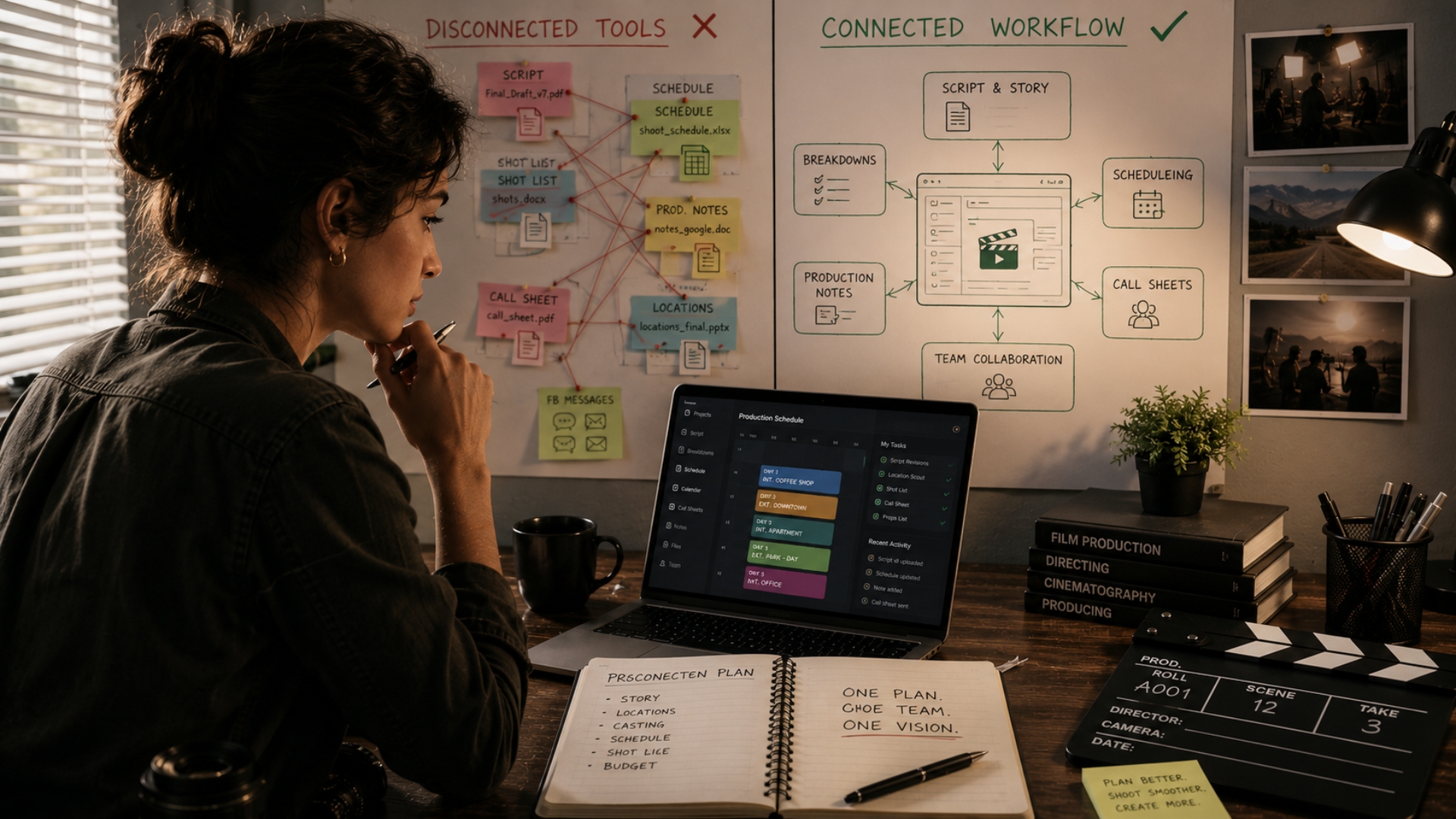
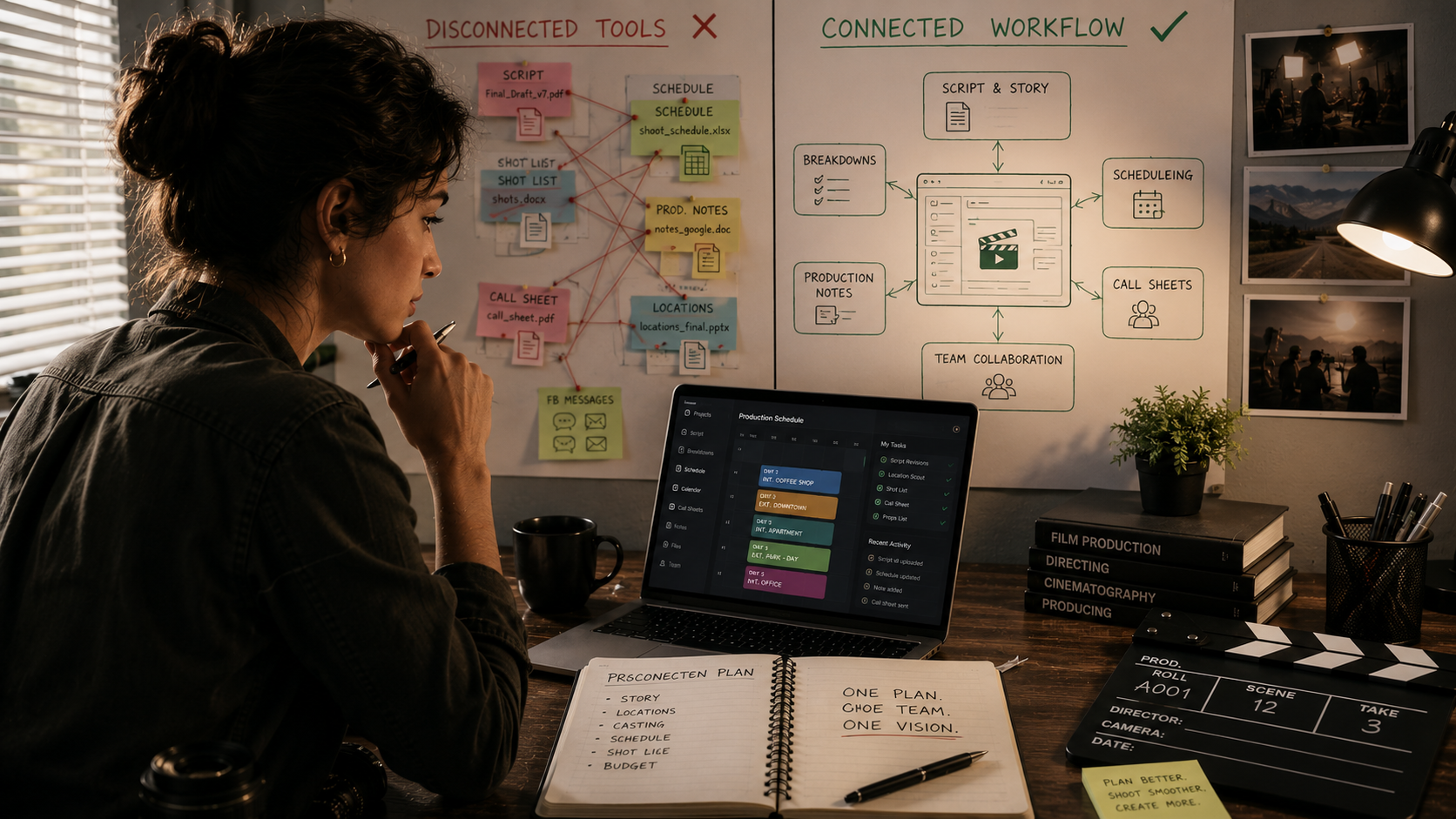
    Modern film productions move faster than ever, but many filmmaking workflows still rely on disconnected tools that were never designed to work together. Scripts live in one app, schedules in spreadsheets, production notes in shared documents, and communication across endless message threads.

    While this setup may seem manageable at first, it often creates unnecessary confusion, delays, and inefficiencies as productions grow.

    That is why more filmmakers are moving toward centralized production workflows that keep creative development, planning, and collaboration connected in one place.

    The Problem With Disconnected Workflows

    Film production involves constant collaboration between writers, directors, producers, cinematographers, assistant directors, artists, editors, and crew members. When information is scattered across multiple platforms, teams spend more time managing tools than focusing on the production itself.

    Common workflow problems include:

    These issues become even more difficult during fast-moving productions where updates happen daily.

    Tool Switching Slows Down Creative Work

    Creative workflows rely on momentum. Constantly moving between screenplay software, spreadsheets, scheduling apps, cloud drives, and messaging platforms interrupts focus and slows production planning.

    Even simple tasks become inefficient when teams need to:

    Over time, these small interruptions create major production slowdowns.

    Collaboration Becomes Harder Across Departments

    Disconnected workflows often create communication gaps between departments. A schedule change may not immediately reach the cinematography team. Script revisions may not be reflected in production breakdowns. Props or wardrobe requirements may be overlooked because information lives in separate systems.

    When departments operate from disconnected tools, collaboration becomes reactive instead of organized.

    Centralized workflows allow creative teams to stay aligned in real time, reducing confusion and improving communication across the production process.

    Production Revisions Become Difficult to Manage

    Film projects constantly evolve during development and pre-production. Scenes change, schedules shift, locations get replaced, and production requirements adjust throughout the process.

    Without centralized planning systems, revision tracking becomes difficult and teams may accidentally work from outdated information.

    This often leads to:

    Keeping revisions connected within one workflow helps productions stay organized as projects evolve.

    Independent Productions Need Efficiency More Than Ever

    Independent filmmakers often work with smaller teams, tighter schedules, and limited budgets. Managing disconnected workflows creates unnecessary operational pressure that smaller productions cannot always absorb.

    Centralized production systems help smaller teams stay more organized without needing additional administrative overhead.

    By reducing tool switching and improving collaboration, productions can focus more energy on storytelling and execution instead of workflow management.

    Modern Productions Are Becoming More Collaborative

    Filmmaking today is more collaborative than ever. Writers, producers, cinematographers, assistant directors, editors, and artists often contribute to planning and creative discussions throughout the entire production process.

    Modern workflows need systems that support:

    As productions become increasingly collaborative, disconnected workflows simply become harder to maintain efficiently.

    The Shift Toward Centralized Production Workspaces

    More filmmakers are adopting connected production workspaces that combine story development, screenplay writing, breakdowns, scheduling, and collaboration into one system.

    Instead of managing scattered tools, productions can:

    Centralized workflows help productions move faster while keeping creative and logistical planning connected throughout the process.

    Share this article with your network.

    Disconnected production tools may work temporarily, but they often create unnecessary friction once productions become more collaborative and complex.

    Modern filmmakers are shifting toward connected workflows because streamlined production planning improves organization, communication, and creative efficiency across the entire team.

    The fewer barriers teams face during pre-production, the easier it becomes to focus on what matters most: making the film.

    All-in-one app for filmmakers. From story spark to screenplay and beyond.

    © 2026 Cinelaya. All rights reserved.